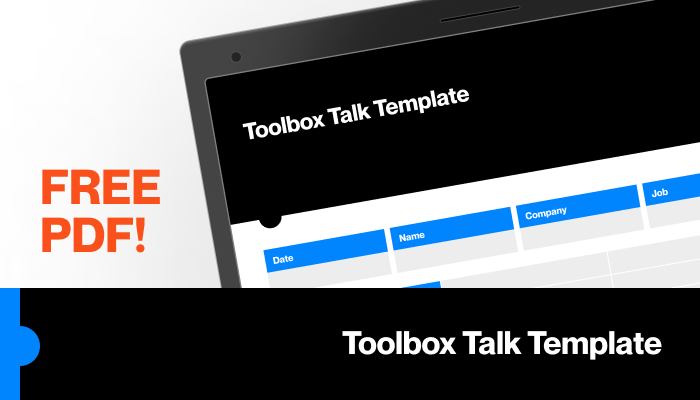
Toolbox talks are meant to prevent accidents, reinforce safety protocols, and keep teams aligned. But too often, they turn into rushed, scripted check-ins that employees tune out. The root cause? Poor templates.
Generic, overly complex, or irrelevant toolbox talk templates lead to disengagement, missed hazards, and compliance gaps. A good template isn’t just a checklist—it’s a structured conversation starter tailored to real job site conditions.
This guide delivers not only free, ready-to-use toolbox talk template PDFs but also actionable insights on how to customize, deliver, and document them effectively. You’ll learn how to avoid common pitfalls, keep discussions relevant, and turn safety meetings into real behavior change.
What Is a Toolbox Talk Template?
A toolbox talk template is a standardized form used to guide short, informal safety meetings—typically 10 to 15 minutes—held at job sites before work begins. These templates help supervisors facilitate discussions on specific hazards, PPE use, emergency procedures, and safe work practices.
Unlike lengthy safety manuals, toolbox talk templates are practical, visual, and modular. They include: - Topic title and date - Key discussion points - Attendee sign-in section - Space for observations or action items
When done right, these templates create a paper trail for compliance, encourage team participation, and reduce incident rates.
Key Elements of an Effective Toolbox Talk Template
Don’t waste time with bloated or confusing forms. A high-impact template includes only what’s necessary:
1. Clear Topic Focus Each template should address one specific hazard or safety topic (e.g., “Working at Heights,” “Hazardous Material Handling”). Avoid broad themes like “General Safety.”
2. Real-World Scenarios Include 1–2 brief examples relevant to your crew’s daily tasks. For example: > “Yesterday, a worker slipped on an oily surface near the forklift. Today’s talk covers spill response and floor safety.”
3. Discussion Prompts Instead of monologues, use open-ended questions:
- “What PPE is required for this task?”
- “Have you seen this hazard before? How was it handled?”
4. Attendee Sign-Off Section Document participation with name, signature, and role. This supports OSHA and insurance audits.
5. Action Item Tracker Leave space to record follow-ups:
- Hazard reported
- Equipment to inspect
- Retraining scheduled
Free Toolbox Talk Template PDF Download
We’ve curated a practical, editable toolbox talk template designed for real-world use.
📥 Download the Free Toolbox Talk Template PDF [Insert placeholder link: Download Now]
This template includes: - Fillable fields for digital or printed use - Date, location, and supervisor fields - 5 discussion points with space for team input - Sign-in sheet for 10 attendees - OSHA-compliant structure
Tip: Customize the template with your company logo, common hazards, and job site photos for greater engagement.
5 Reliable Sources for Free Toolbox Talk Templates
While you can build your own, starting with proven templates saves time and improves consistency. Here are five trusted sources offering free, downloadable PDFs:
| Source | Topics Covered | Best For | Notes |
|---|---|---|---|
| OSHA.gov | Fall protection, electrical safety, PPE | Compliance-focused teams | Government-vetted, minimal customization |
| SafetyInfo.com | 100+ topics, industry-specific | Construction, manufacturing | Free registration required |
| Creative Safety Supply | Visual templates, multilingual | Teams with diverse workers | Includes Spanish versions |
| HSE.gov.uk | UK standards, risk assessment links | International projects | Adaptable to U.S. use |
| EHS Daily Advisor | Weekly templates, email delivery | Routine scheduling | Requires email signup |
Pro Tip: Never use a downloaded template as-is. Adjust language, examples, and hazards to match your site’s conditions.
Common Mistakes That Undermine Toolbox Talks
Even with a great template, poor execution kills effectiveness. Avoid these frequent errors:
❌ Repeating the Same Topics Monthly Rotating topics prevent complacency. Use a 52-week safety calendar to plan discussions in advance.
❌ Skipping High-Risk Scenarios If your crew is welding, don’t talk about office ergonomics. Focus on burn risks, ventilation, and fire extinguisher access.
❌ No Follow-Up on Reported Hazards If a worker flags a damaged ladder, document it and act. Failure to respond erodes trust and safety culture.
❌ Making It a Monologue Engagement drops when only the supervisor talks. Use the “round-robin” method: each attendee shares one safety tip.
❌ Poor Documentation Unsigned sheets or missing dates won’t hold up in an audit. Store completed talks digitally with backups.
How to Customize Your Toolbox Talk Template
A generic form won’t address your site’s unique risks. Here’s how to tailor it:
Step 1: Identify Frequent Hazards Review past incident reports. If slips and falls dominate, create templates for: - Wet surface response - Proper footwear inspection - Housekeeping responsibilities
Step 2: Match to Work Phases Construction projects change weekly. Align talks with current phases: - Excavation → “Trench Safety” - Framing → “Falling Object Prevention” - Finishing → “Chemical Exposure”
Step 3: Add Site-Specific Details Include:
- Site name and zone (e.g., “North Tower, Level 3”)
- Supervisor’s direct contact info
- Nearest first aid station location
Step 4: Use Visual Aids Attach photos of correct vs. incorrect practices. A picture of a frayed cable next to a safe one makes the point instantly.
When to Use Digital vs. Paper Templates
Both formats have advantages—choose based on your workflow.

Paper Templates Work Best When: - Internet access is unreliable - Crews prefer physical sign-in - You need instant archiving at the site office
Digital Templates Shine When: - You manage multiple locations - You integrate with safety management software - You want automated reminders and analytics
Tools like iAuditor, SafetyCulture, or Microsoft Forms let you create digital versions of your PDF template, collect signatures via tablet, and generate reports instantly.
Reality Check: Many teams use a hybrid model—print copies for the talk, then scan and upload for records.
Making Toolbox Talks Actually Work
Templates are just tools. Real change comes from how you use them.
Schedule Strategically Hold talks at the start of shift, not at the end when crews are tired.
Rotate Facilitators Let experienced workers lead occasionally. Peer-led talks often carry more weight.
Link to Real Events
After a near-miss, hold an impromptu talk using your template. It shows urgency and relevance.
Measure Effectiveness Track:
- Attendance rates
- Hazards reported per talk
- Repeat incidents on discussed topics
If attendance drops, rethink timing or content. If no hazards are reported, your questions may not be probing enough.
Final Step: Download, Customize, and Act
Don’t let toolbox talks become a box-ticking exercise. Start with a solid, free template—download ours or pull one from the trusted sources listed. Then customize it for your crew, site, and risks.
Use it consistently. Engage your team. Document everything.
Safety isn’t about perfect paperwork—it’s about meaningful conversations that prevent harm.
Your next toolbox talk starts now.
FAQs
Where can I get a free toolbox talk template in PDF format? Reliable sources include OSHA.gov, SafetyInfo.com, and Creative Safety Supply. Our free downloadable template is optimized for real-world use.
How long should a toolbox talk last? Ideally 10 to 15 minutes. Longer sessions lose attention; shorter ones lack depth.
Who should lead a toolbox talk? Typically a site supervisor or safety officer, but rotating experienced workers as facilitators boosts engagement.
Do toolbox talks need to be documented? Yes. Signed attendance sheets and topic records are essential for OSHA compliance and incident investigations.
Can I use the same template every week? No. Reuse the format, but change the topic. Rotate through hazards based on work phase and incident trends.
How often should toolbox talks be held? Weekly is standard, but increase frequency during high-risk tasks like excavation or crane operations.
Are digital toolbox talk templates effective? Yes, especially for multi-site teams. Digital tools improve tracking, storage, and follow-up on action items.
FAQ
What should you look for in Free Toolbox Talk Template PDF Download & Best Practices? Focus on relevance, practical value, and how well the solution matches real user intent.
Is Free Toolbox Talk Template PDF Download & Best Practices suitable for beginners? That depends on the workflow, but a clear step-by-step approach usually makes it easier to start.
How do you compare options around Free Toolbox Talk Template PDF Download & Best Practices? Compare features, trust signals, limitations, pricing, and ease of implementation.
What mistakes should you avoid? Avoid generic choices, weak validation, and decisions based only on marketing claims.
What is the next best step? Shortlist the most relevant options, validate them quickly, and refine from real-world results.




:max_bytes(150000):strip_icc()/GettyImages-21696356521-4fbe8ad077b44dd89725c2f789cb6716.jpg)
